Instant Scanning
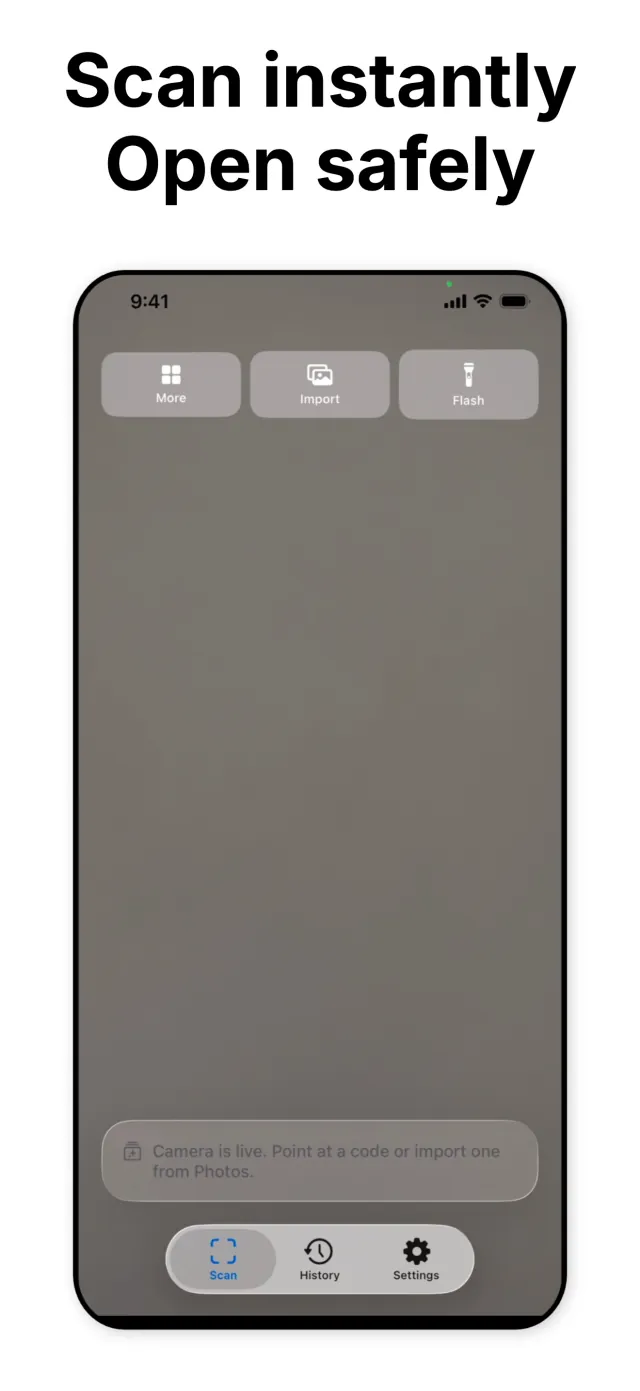
Point the camera at a QR code and GlassScan reads it as soon as it is in frame. No shutter button, no manual focus step, no gap between seeing the code and getting a result.

QR code scanner
GlassScan reads a QR code the instant you point at it, then shows what is inside before you open, copy, or share it. No account, no ads, nothing sent off the device.
Available on the App Store iOS 17 and later 11 languages
Instant scan · Safety check · On-device history
What it does
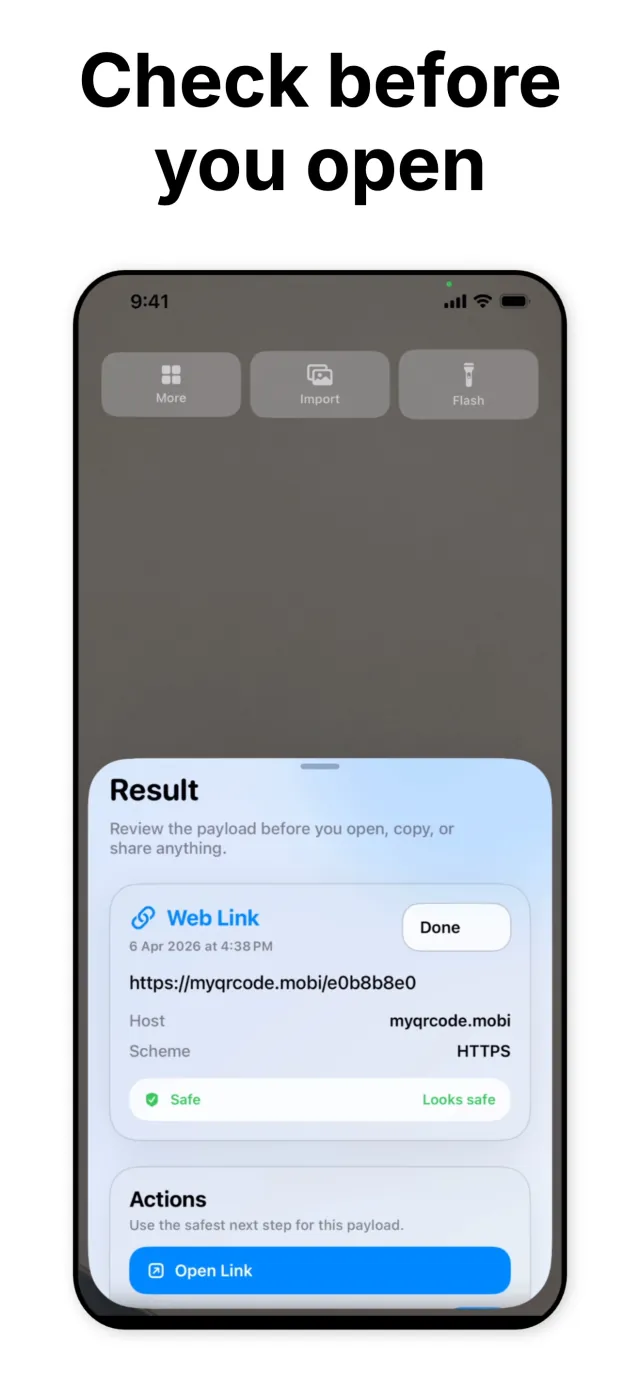
Most QR scanners decode a code and hand over a raw link with no context, which is exactly how a printed sticker over a real code can send someone to a phishing page. GlassScan reads the code the same way, but before it offers to open anything, it shows what the code actually contains: the host, the scheme, and a plain verdict on whether it looks safe.
GlassScan is for anyone who scans codes on menus, posters, packaging, or tickets and would rather glance at what a code leads to than tap and hope. It runs on iPhone and iPad from iOS 17, keeps history on the device, and ships in 11 languages.
The app does one job. It is not a QR code generator, not a barcode inventory tool, not a bundle of unrelated utilities. Point, scan, review, act. The scan history and settings exist to support that loop, not to expand it.
Key features
Each feature addresses a concrete step in scanning a code and deciding what to do with it, not a marketing checklist item.
Point the camera at a QR code and GlassScan reads it as soon as it is in frame. No shutter button, no manual focus step, no gap between seeing the code and getting a result.
Every scanned link is evaluated by host and scheme before GlassScan offers to open it, with a plain safe or caution verdict shown next to the raw URL. A Deep Scan action is there for a closer look.
GlassScan recognizes what it scanned: a web link, an email address, a phone number, a Wi-Fi network, a contact card. Each type is shown as labeled fields, not a wall of raw text.
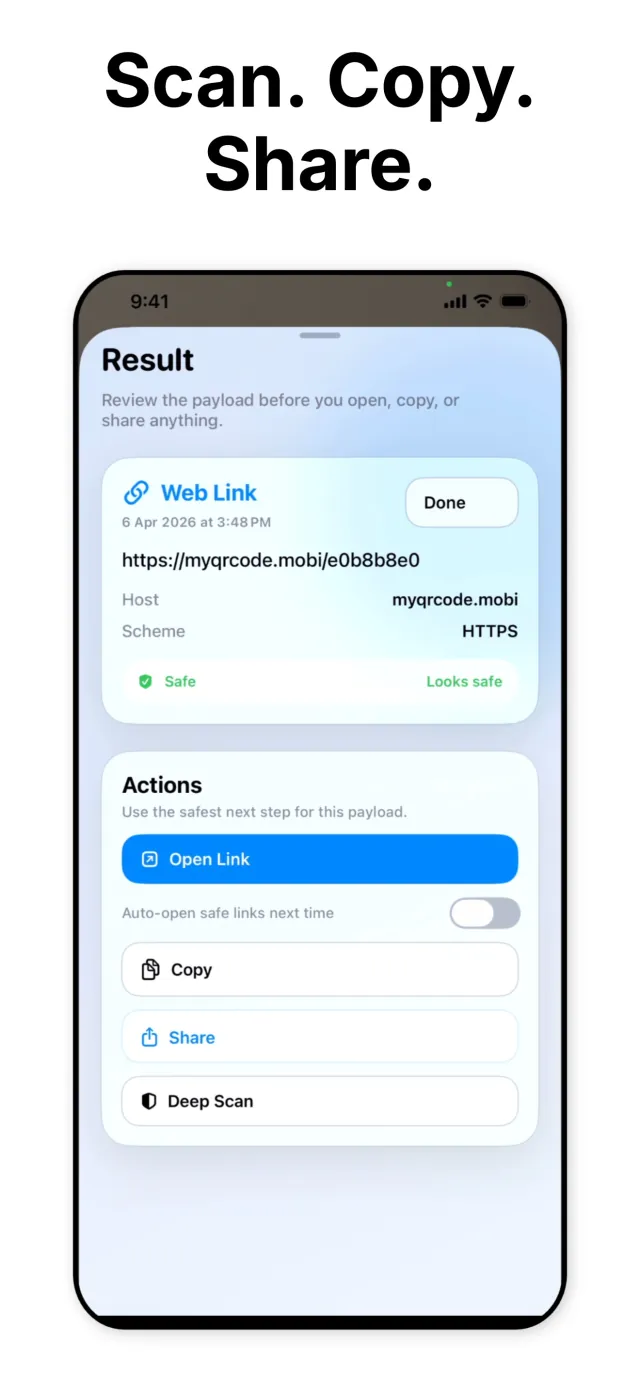
Once a result is reviewed, act on it in one tap: open the link, copy the payload, or share it out. Auto-open can be turned on for links that pass the check, or left off so every scan gets a manual look.
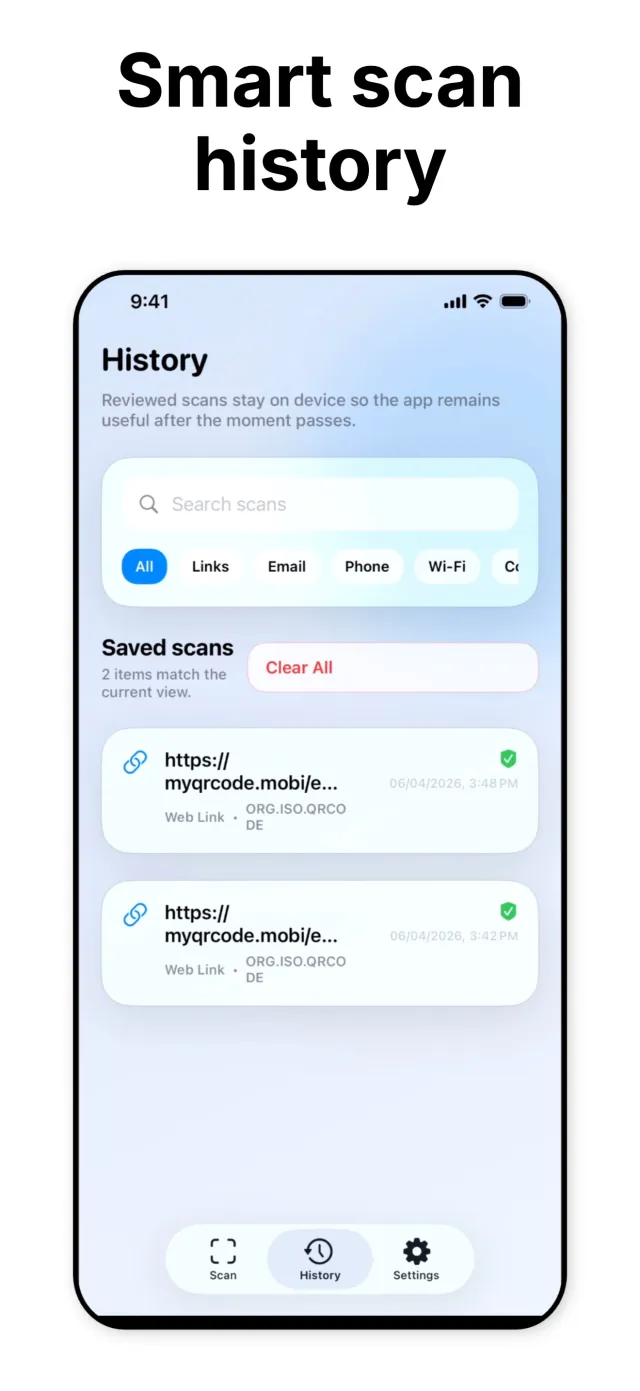
Reviewed scans are saved on the device, searchable by content and filterable by type: links, email, phone, Wi-Fi, contact. Export the full log as CSV whenever you want a record.
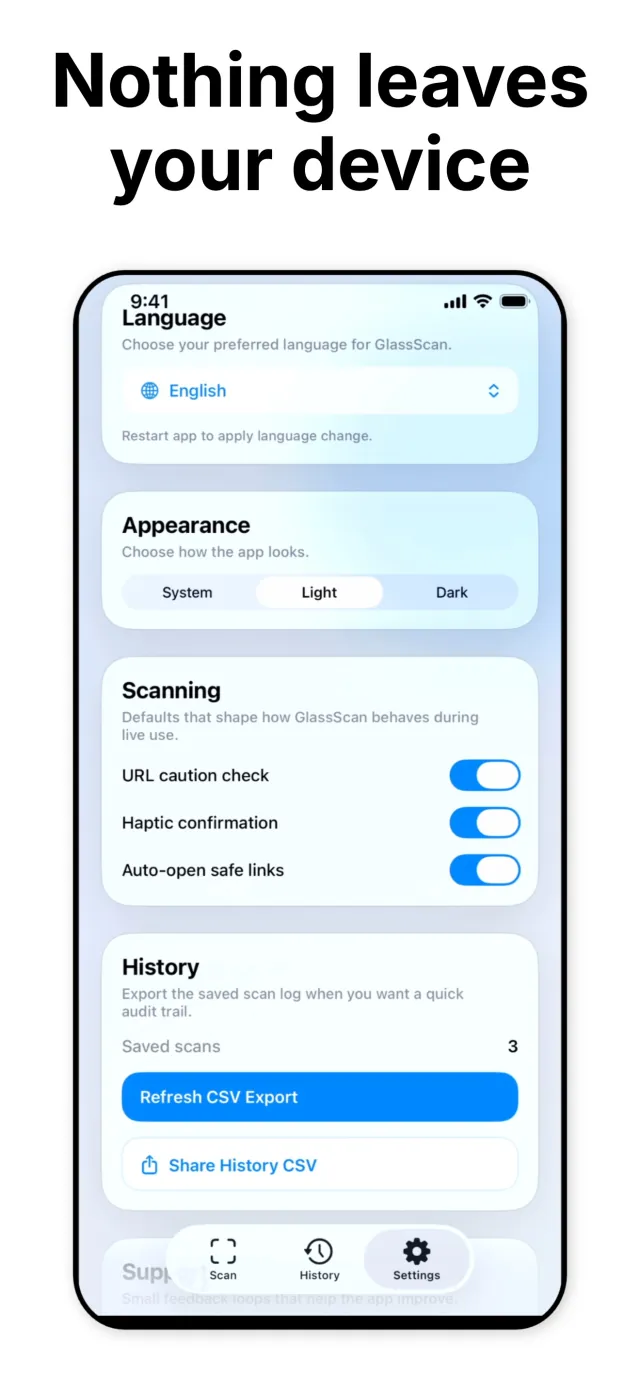
Scans, history, and settings stay on the device. GlassScan does not require an account, does not sync to a cloud, and does not track what codes are scanned.
Under the hood
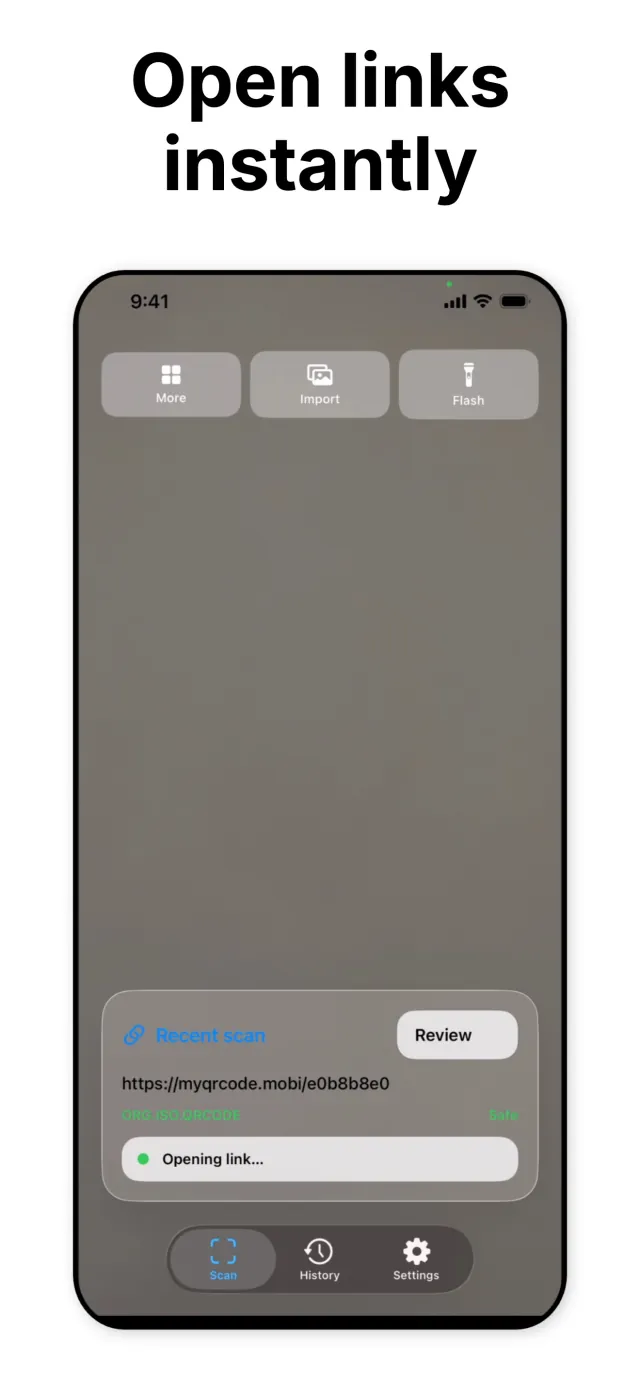
The camera view stays live while GlassScan looks for a QR
pattern in frame. As soon as one resolves, the app decodes it
and records the symbology alongside the result. Standard QR
payloads report as ORG.ISO.QRCODE, the identifier
for a code built to the ISO/IEC 18004 QR specification, so the
result screen is showing the actual format that was read, not
a generic label.
Before a decoded link is offered for opening, GlassScan evaluates its host and scheme and shows the verdict in plain language next to the raw URL, the host, and the scheme, for example "Looks safe." The result screen also carries a Deep Scan action for a closer look when a link warrants more scrutiny, and an auto-open toggle that only applies to results that already passed the check.
Reviewed scans are written to an on-device history, searchable by content and filterable by type (links, email, phone, Wi-Fi, contact). The History tab can export the current log as CSV and share it directly, and a Clear All action wipes the log in one step. Settings expose the URL caution check, haptic confirmation, and auto-open behavior as individual toggles, plus a language switcher across GlassScan's 11 supported languages and a System, Light, or Dark appearance choice.
Privacy by design
On-device by default
Reviewed scans, saved history, and app settings live on the device. No cloud sync is used to store this data.
No account required
Open the app and start scanning. There is no sign-up step and nothing scanned is tied to an identity.
No tracking, no ads
GlassScan does not run advertising or behavioral tracking. There is nothing in the app competing for attention with the scan in front of you.
The check is shown, not hidden
The host, scheme, and safety verdict for a scanned link are all visible on the result screen, so you can decide, not just be told to trust a single icon.
Your history, your control
Clear All removes the on-device scan log in one step. CSV export and sharing are manual actions you start, never automatic.
How it looks
Six screens from scan to safety check inside GlassScan.
Scroll to browse →
Download
GlassScan is free on the App Store for iPhone and iPad, in 11 languages. Email contact@mightys.dev with feedback or a scanning workflow you would want to see.