Photo to Explanation
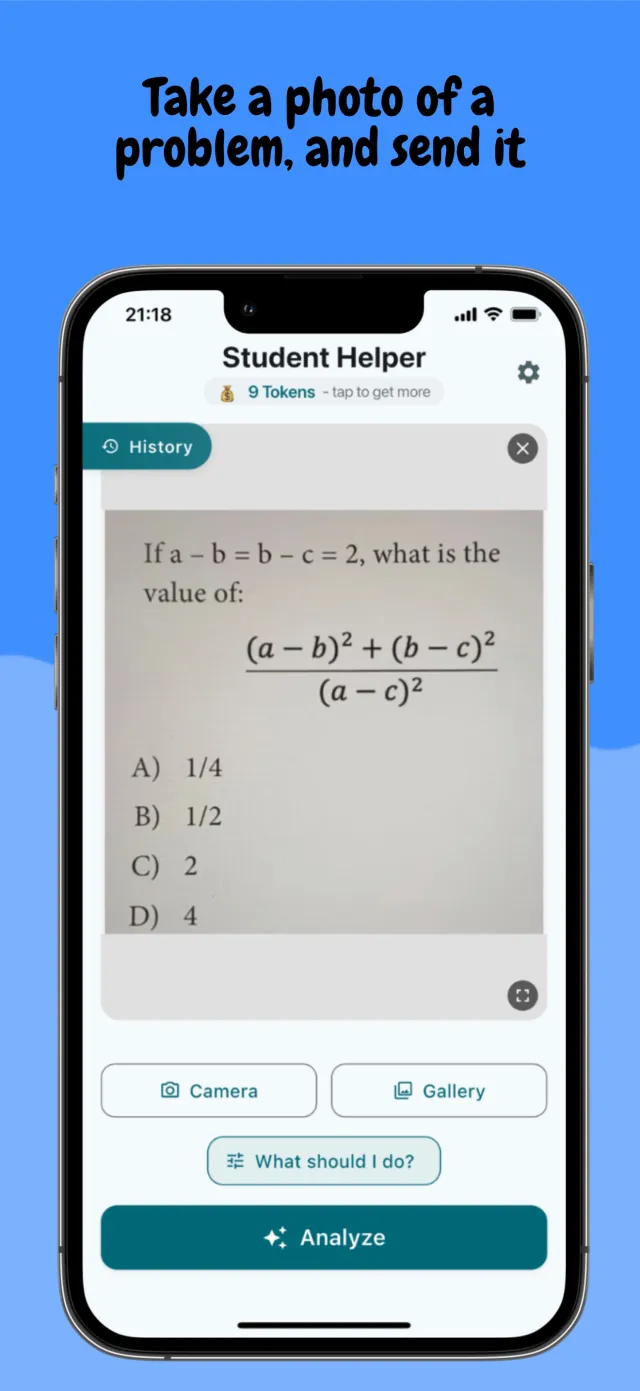
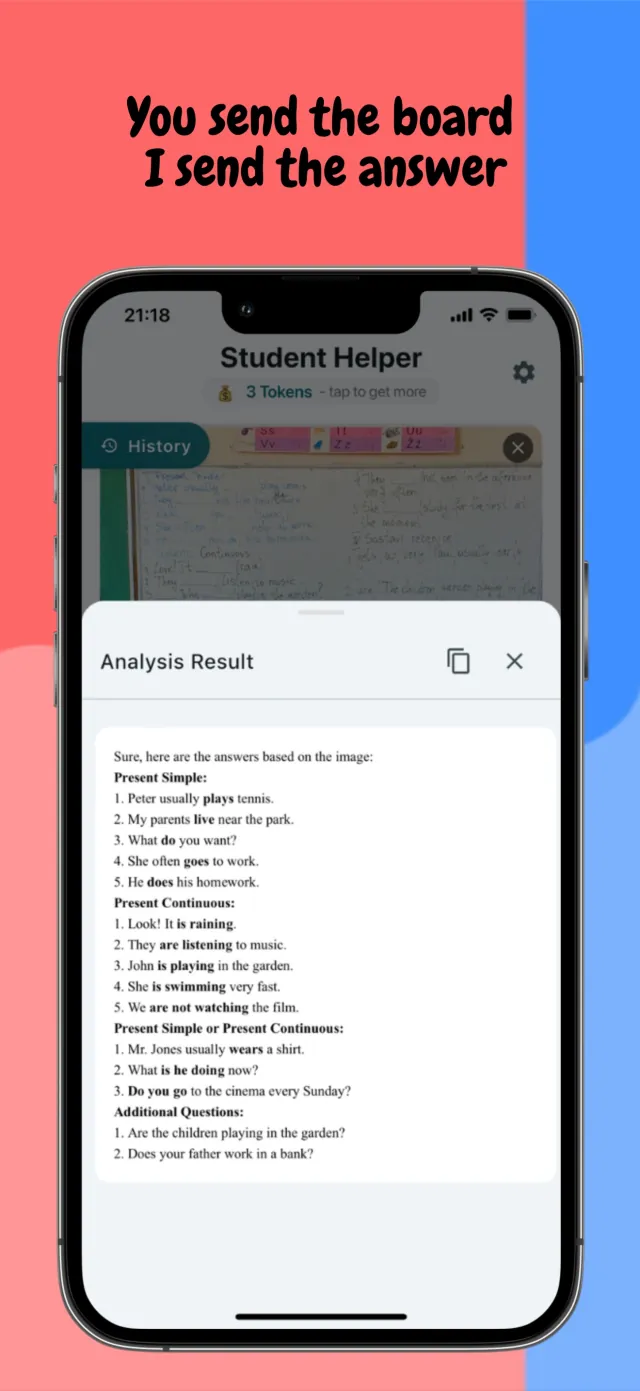
Point the camera at a handwritten or printed problem, or pull a photo from the library. The app reads the question directly off the page.

AI study helper
Homework Genie is a study helper for any subject. Snap a photo of a problem or type it in, and get a step-by-step explanation you can actually follow.
Available on the App Store and Google Play
What it does
A homework problem that does not make sense is one of the most common reasons studying stalls. An answer key gives a result without a method. A search result skips the steps that actually matter. Homework Genie exists to fill that gap: a way to see how a problem gets solved, not only what the final answer is.
It is built for students working through an assignment, parents helping with material they have not seen in years, and teachers who want a fast way to check or prepare content. Homework Genie runs on iPhone and Android.
The starting point is always a real question: a photo of a handwritten page, a textbook problem, or something typed in directly. From there, the app narrows down the subject and what is actually being asked, then returns an explanation broken into steps rather than a single line.
Key features
Each tool is built around the same idea: understanding a problem should not require guessing how it was solved.
Point the camera at a handwritten or printed problem, or pull a photo from the library. The app reads the question directly off the page.
Prefer typing over photographing? Enter a question directly. Both paths lead to the same step-by-step breakdown.
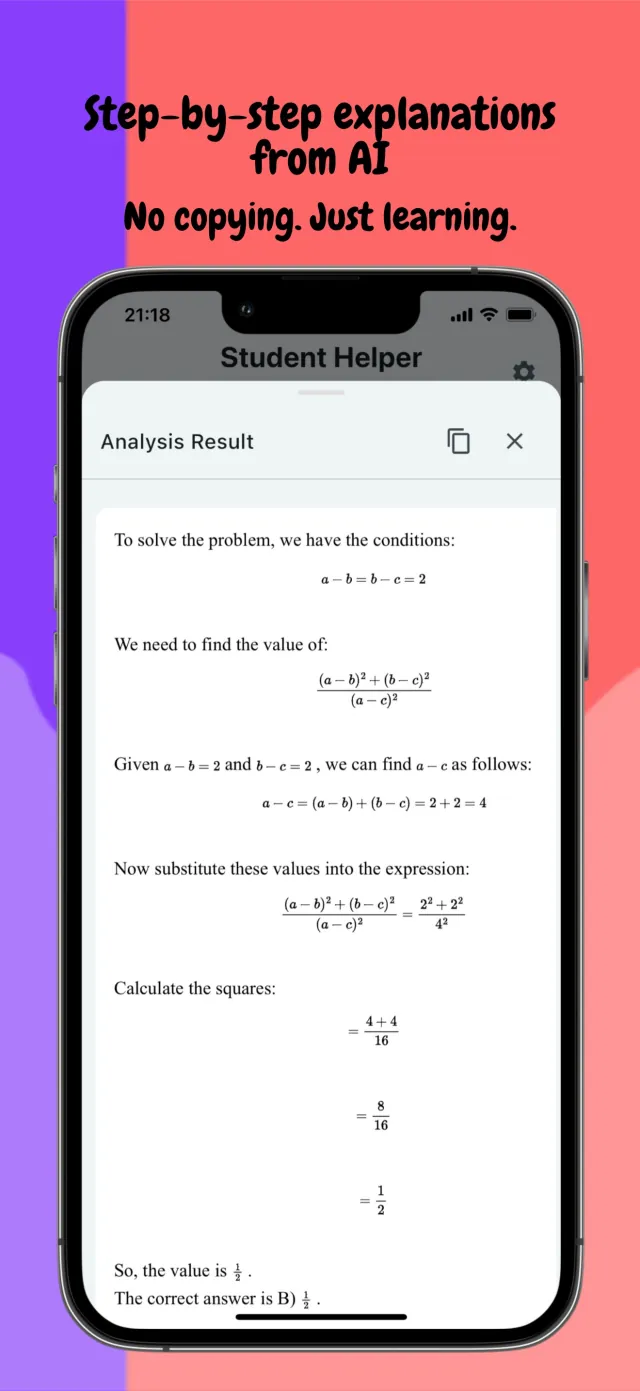
Every result is worked through in order, not delivered as a single answer. The method stays visible, so the next similar problem is easier.
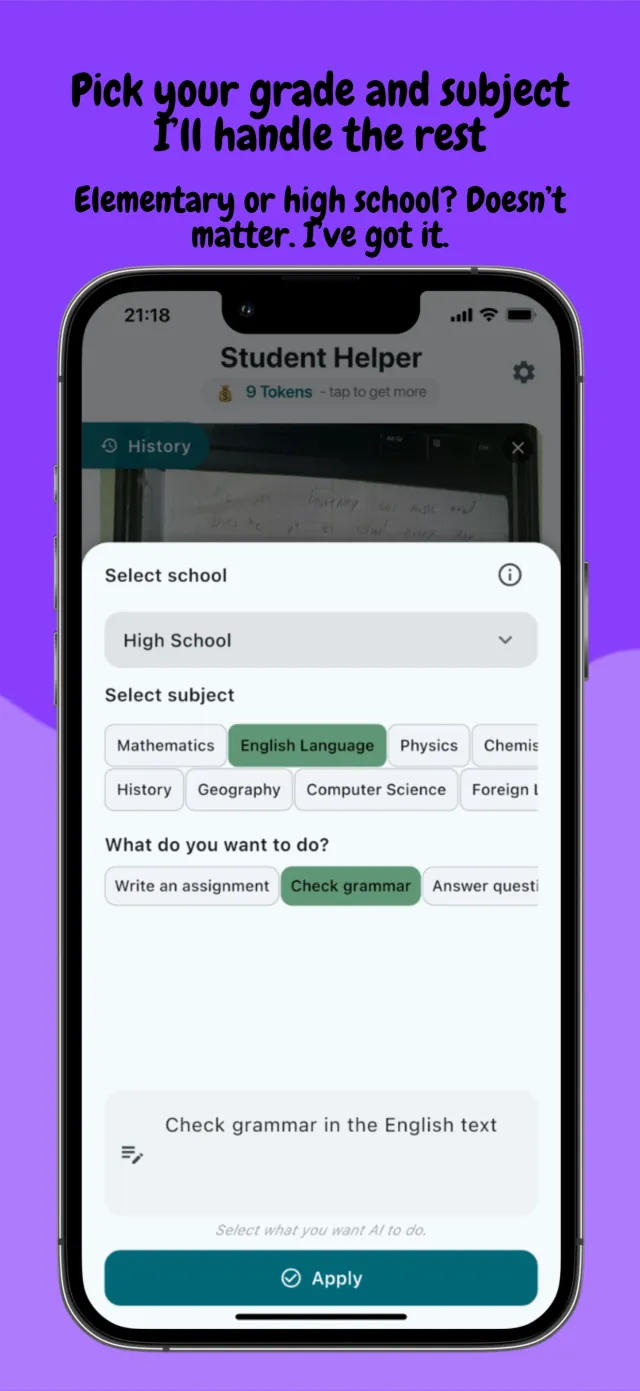
Set the school level, the subject, and what is needed: an answer, an assignment, or a grammar check, so the explanation matches the actual work.
Math, science, chemistry, physics, biology, English, geography, and history are all covered in one app, so switching classes does not mean switching tools.
Short questions get a quick, free analysis. Deeper step-by-step help is available on demand, without a subscription.
Under the hood
Homework Genie starts with a question: a photograph of a handwritten or printed problem, taken with the in-app camera or picked from the photo library, or a question typed in directly. Before anything is sent for analysis, the app lets the user narrow the request: a school level from elementary through high school, a subject from a fixed list spanning mathematics, the sciences, English, geography, and history, and a task such as answering a question, writing an assignment, or checking grammar. That selection shapes the explanation that comes back.
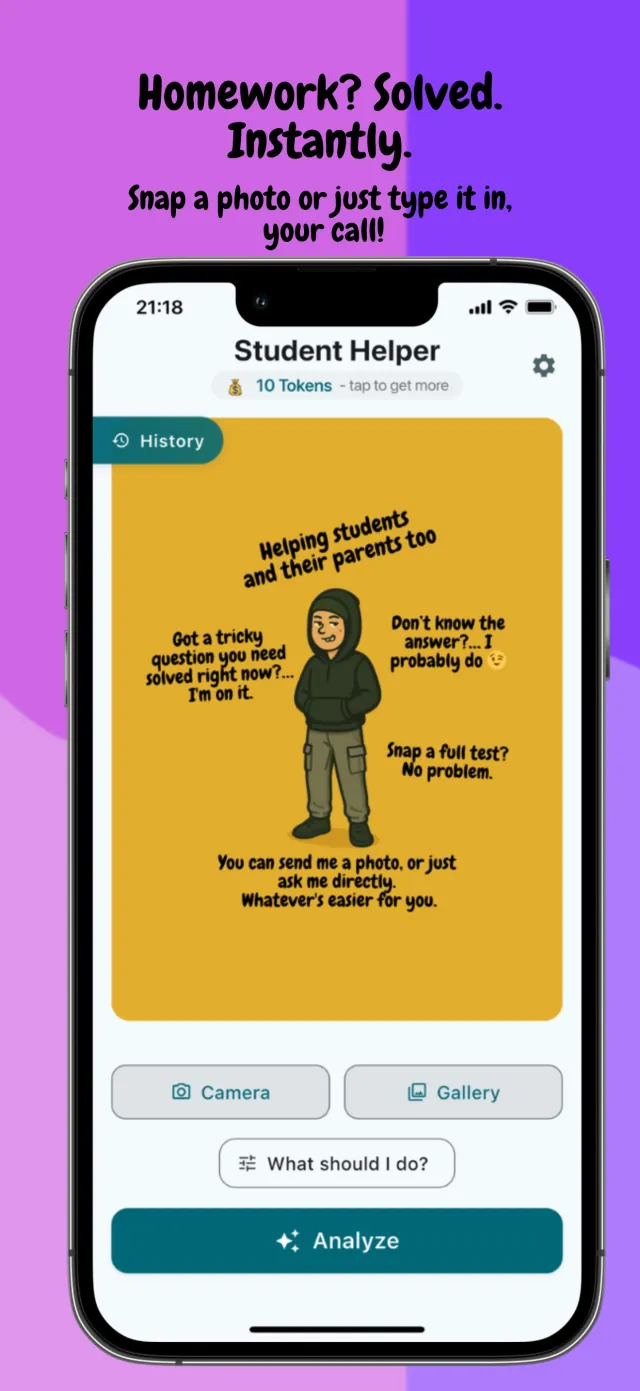
Tapping Analyze sends the question for AI processing and returns a written breakdown in an Analysis Result panel, worked through line by line rather than handed back as a single number. Results can be copied directly from the panel, and past analyses are kept in a History list so a question can be revisited without resubmitting the photo.
Short questions get a quick, free analysis. Longer or more involved problems use a deeper step-by-step mode, available on request without a subscription, tracked through a simple token balance shown at the top of the app. Every core school subject, math, science, chemistry, physics, biology, English, geography, and history, runs through the same flow.
Privacy by design
Nothing sent until you submit
A photo or typed question is analyzed only after Analyze is tapped. Nothing is scanned or uploaded in the background.
Processed, not linked to you
Text or images submitted for AI processing travel over an encrypted connection to a third-party AI provider. The content is not linked to an identity, account, or persistent identifier.
No account required
Homework Genie does not require account creation and does not collect names or contact details to work.
Content is not kept longer than needed
Submitted questions are not retained beyond what is required to generate a response, and are not stored on our own servers.
No ads, no data sales
We never sell personal data, never use it for advertising, and never show third-party ads inside the app.
How it looks
Six screens of scanning a problem, picking a subject, and reading the explanation inside Homework Genie.
Scroll to browse →
Download
Homework Genie is live on iPhone and Android. Email contact@mightys.dev if you have feedback, or a subject you want covered better.
Also on the App Store Also on Google Play