Ask Anything
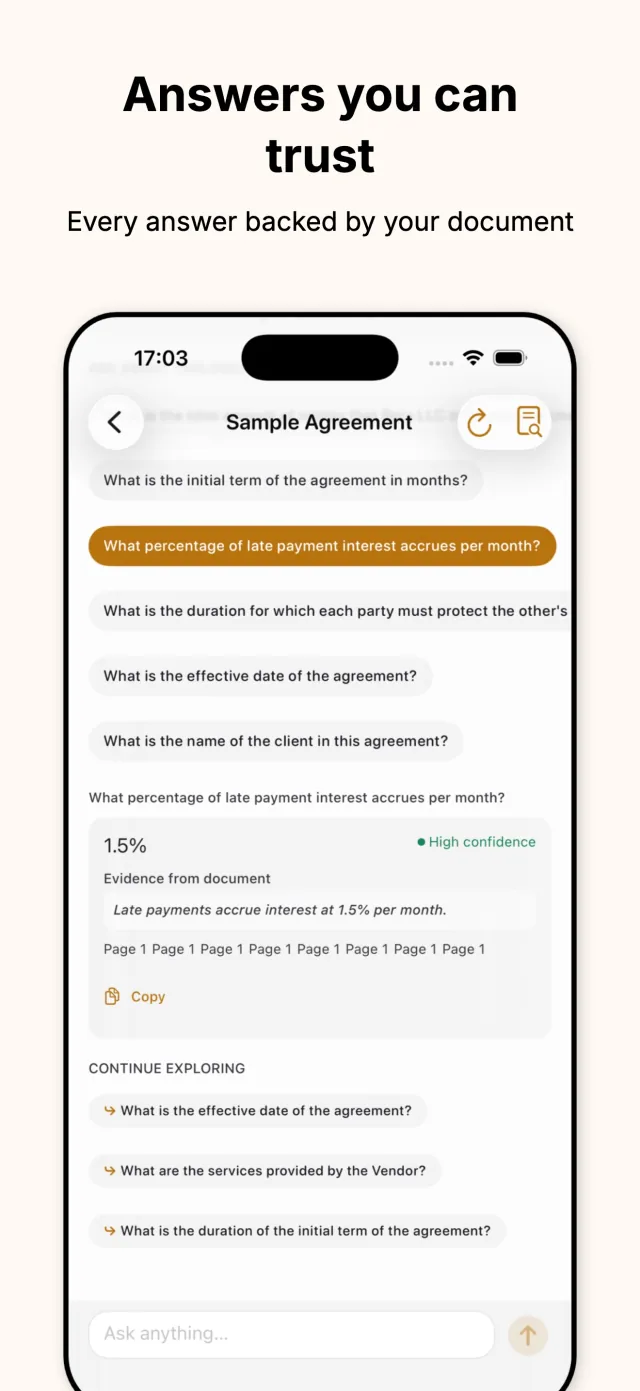
Type a question in plain language and get a precise answer pulled from the document, not a generic summary of the whole page.

AI document answers
Lucidoc reads PDFs, scanned pages, and pasted text, then answers direct questions instead of making you search through them. Every answer points back to the exact passage it came from, and it all runs on the device.
Available on the App Store Requires Apple Intelligence
Scan, import, or paste · Evidence-backed answers · Fully on-device
What it does
Contracts, reports, notes, scanned forms: documents pile up faster than anyone can read them. Finding one clause or one number usually means reading the whole thing, or scrolling and guessing. Lucidoc replaces that search with a direct question. Ask what the termination clause says, or what the total is, and it answers from the document itself.
Lucidoc is built for iPhone with Apple Intelligence support (iPhone 15 Pro, iPhone 16, or newer), running iOS 26 or later. It is a free download, in English, and it works the same way whether the source is a PDF, a photo taken with the camera, or text pasted from anywhere else.
The design principle is that an answer is only useful if it can be checked. Lucidoc is not a general chat assistant: every response is tied back to the passage and page it came from, so the person reading it can verify the claim instead of trusting it blindly. Extraction and analysis happen on the device, without sending the document to a server.
Key features
Each feature addresses a concrete step in reading a document, from getting it into the app to checking the answer it gives back.
Type a question in plain language and get a precise answer pulled from the document, not a generic summary of the whole page.
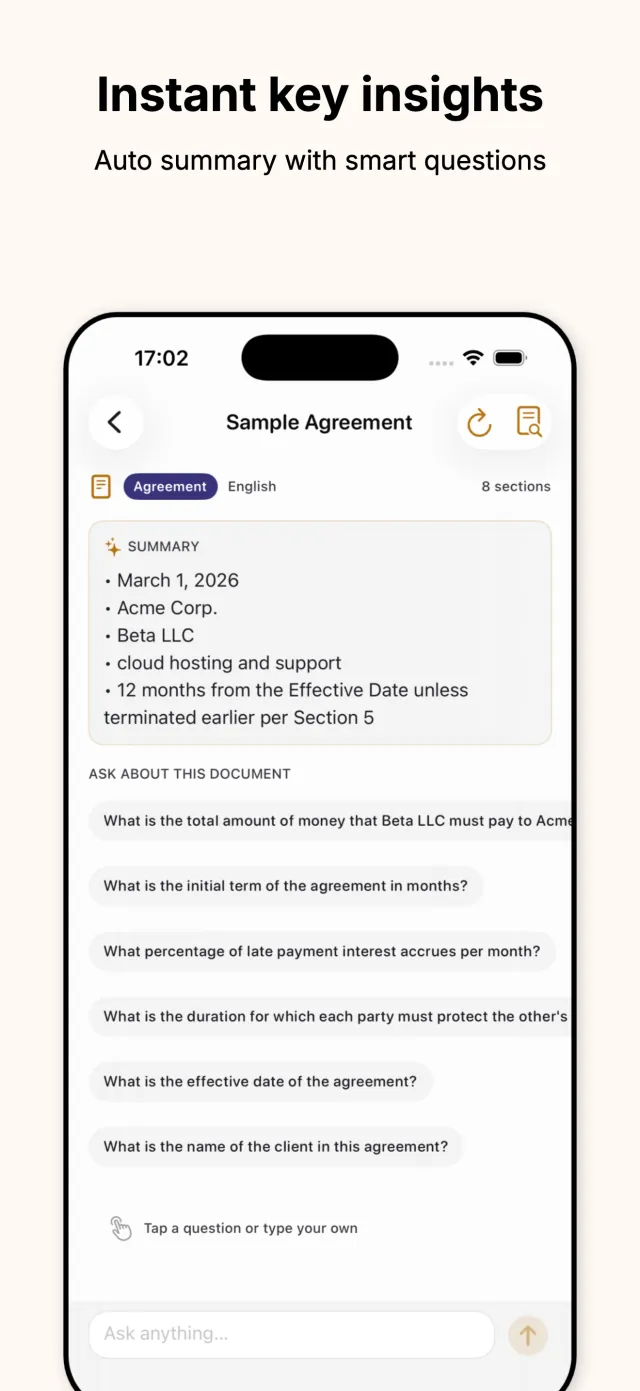
A summary of the key points appears the moment a document loads, along with suggested questions worth asking about it.
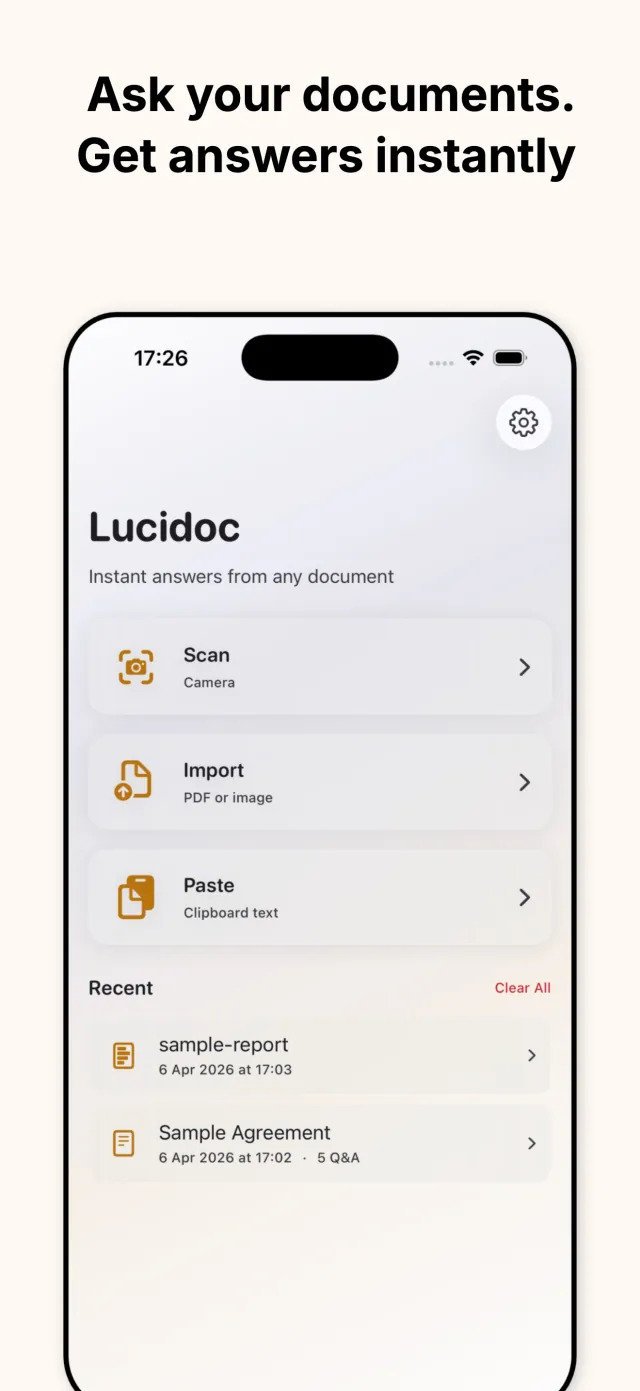
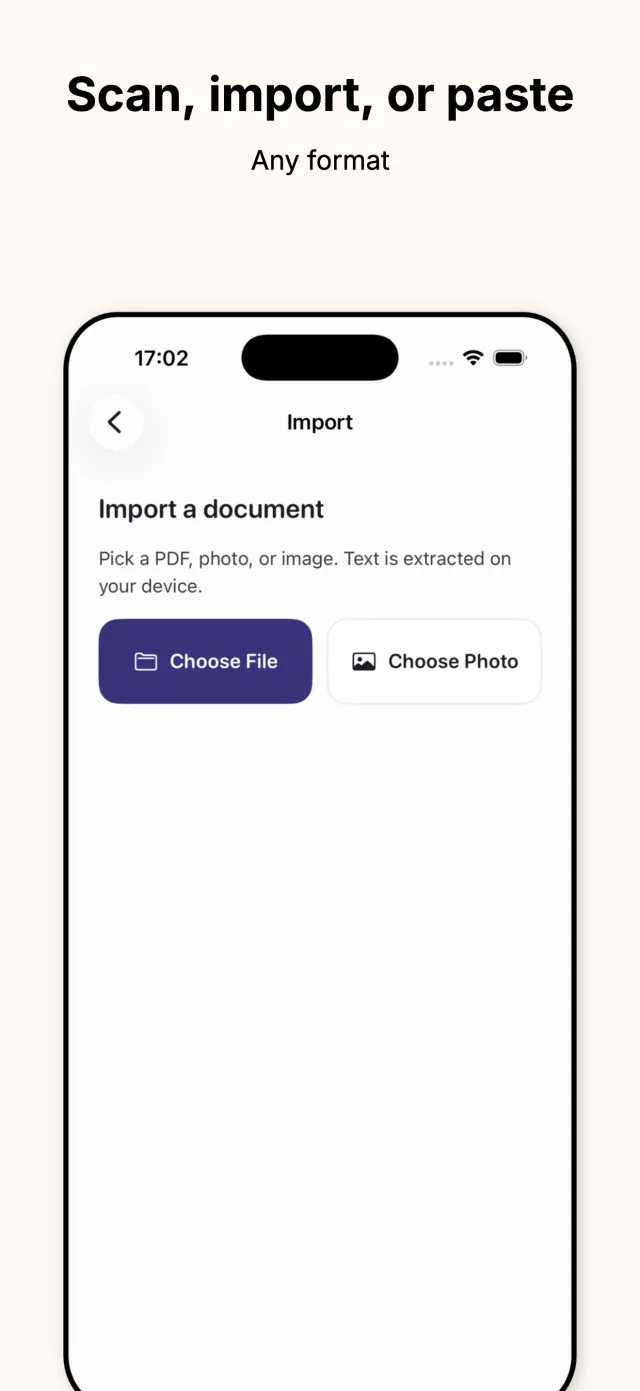
Bring a document in three ways: photograph it with the camera, import a PDF or image file, or paste text from anywhere else.
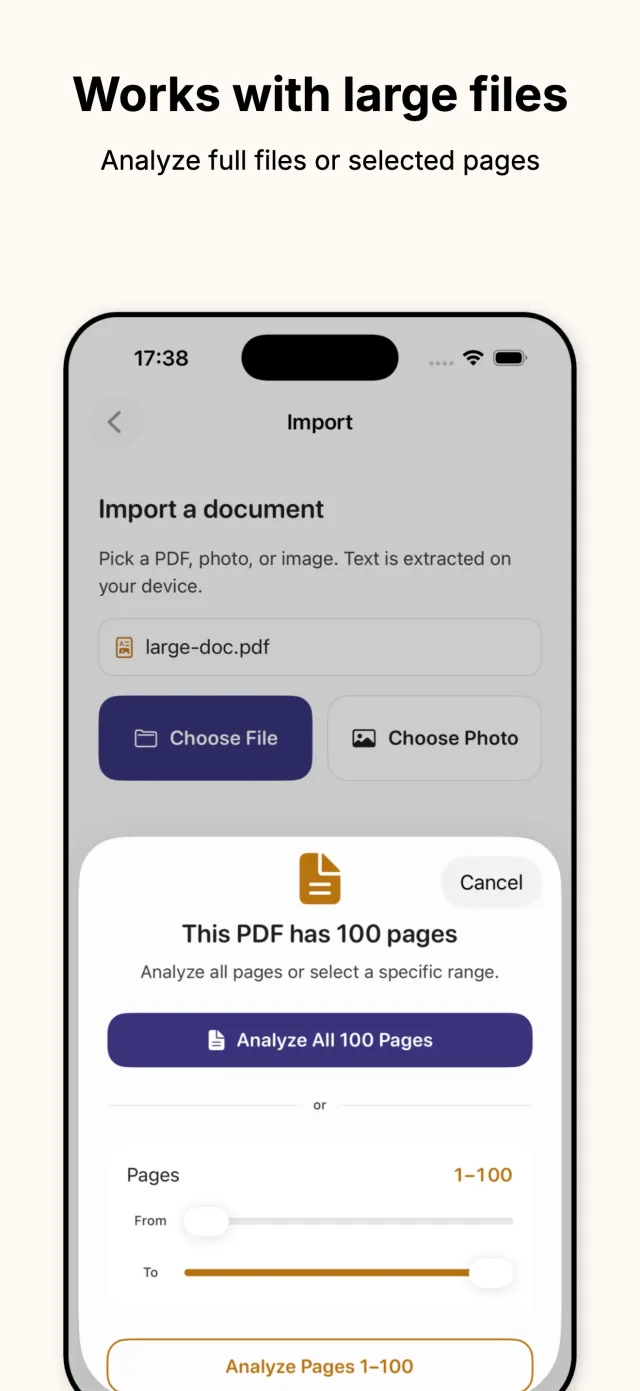
Analyze a full document or select a specific page range. A hundred-page PDF and a one-page note get the same fast treatment.
Every answer shows the exact quote and page it was drawn from, so it can be checked against the document instead of taken on faith.
Extraction, summaries, and answers run on Apple Intelligence, directly on the phone, without relying on an external server.
Under the hood
When a document comes in, whether it is a native PDF, a camera photo, or a plain text paste, Lucidoc extracts the text on-device and passes it to Apple's on-device foundation models. The app does not have a cloud AI fallback: it requires an Apple Intelligence-capable iPhone (iPhone 15 Pro, iPhone 16, or newer) and iOS 26 or later, and it does not send the document elsewhere when a local model handles the work.
Large documents get a specific pipeline. As of version 1.4.0, big PDFs are extracted and analyzed in the background so the interface stays responsive while a hundred-page file is still processing. For very long files, the app breaks the document into chunks, analyzes each one, and stitches the results back together, which is what makes summaries and question answering hold up on books, contracts, and long reports rather than degrading on the later pages.
Every answer keeps a link back to where it came from: the app surfaces the source passage and the page number alongside the response, rather than returning a paraphrase with no way to check it. Imported documents and past Q&A sessions are kept in a local library on the device, with a clear-all option, and nothing here depends on a network connection to work.
Privacy by design
Runs fully on the device
Text extraction, summaries, and question answering all happen on the iPhone, without relying on external servers.
No cloud AI fallback
Lucidoc requires an Apple Intelligence-capable iPhone and does not substitute a cloud AI provider when on-device models are unavailable.
Local document library
Imported files and past Q&A sessions stay in a local Recents list on the device, with a clear-all option, not synced to a server.
Built for one device generation
The requirement for Apple Intelligence hardware and iOS 26 is deliberate: it is what makes fully local processing possible in the first place.
How it looks
Five glimpses of importing, summarizing, and asking questions inside Lucidoc.
Scroll to browse →
Download
Lucidoc is live on iPhone, free to download. It requires an Apple Intelligence-capable device (iPhone 15 Pro, iPhone 16, or newer) running iOS 26 or later. Email contact@mightys.dev with questions or feedback.