Toolchain-Aware Scan
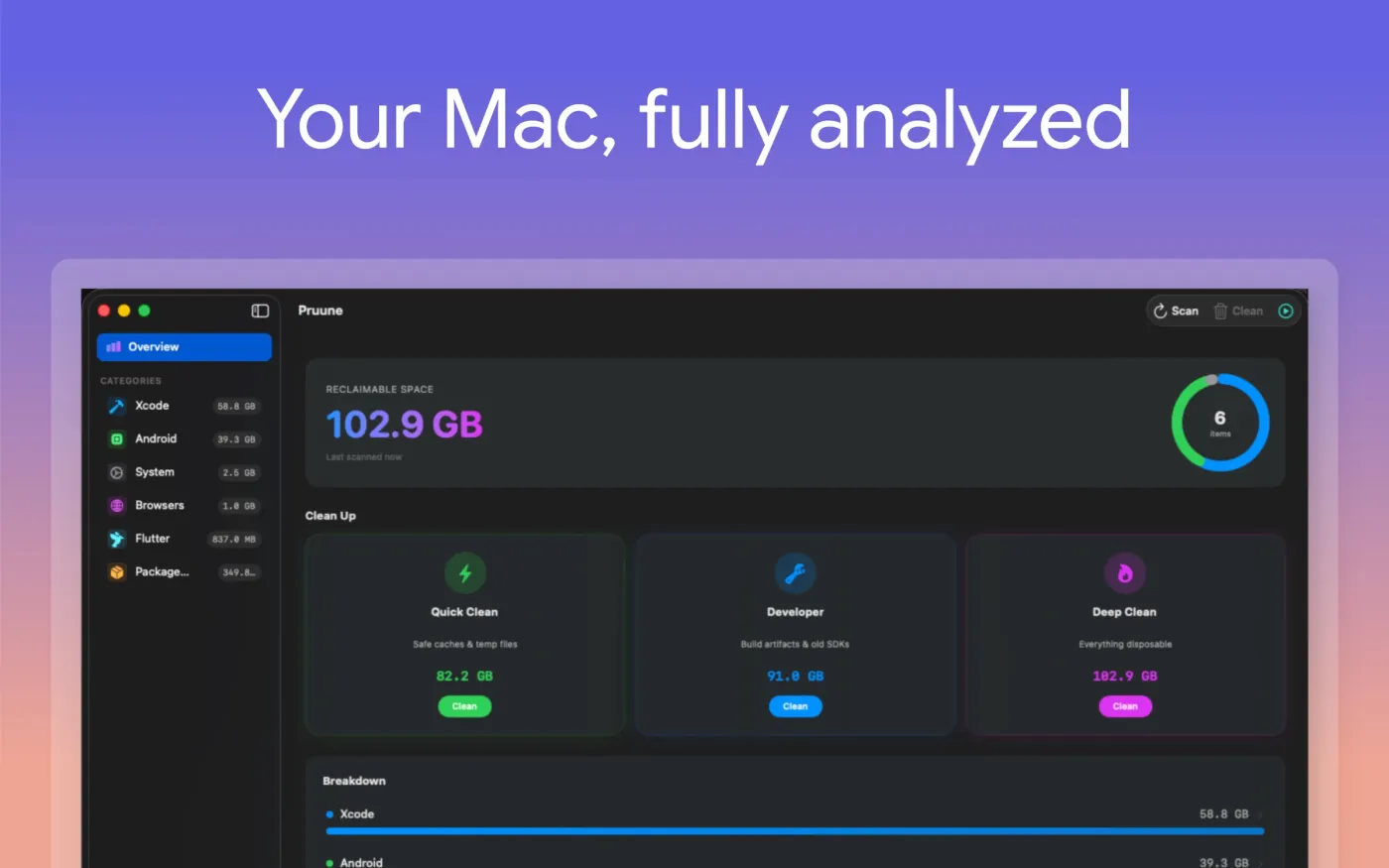
Pruune ships with a registry of where Xcode, Android, Flutter, Gradle, CocoaPods, npm, Homebrew, and friends store reclaimable data. Categories surface immediately, with sizes, in seconds.

macOS · Disk cleaner
Pruune is a native macOS cleaner built for the developer junk that accumulates on every machine — Xcode caches, Android SDKs, Flutter builds, package archives. It triages each item by safety and sends deletions to the Trash, never past it.
Available on the Mac App Store macOS 14 Sonoma and newer Apple Silicon and Intel
Sandboxed Trash-first deletion No tracking
What it does
Most general-purpose Mac cleaners treat your machine like a black box. They flag a few caches, ignore the rest, and ask you to trust them with aggressive deletions. Pruune takes the opposite approach: it understands the specific places Xcode, Android Studio, Flutter, Gradle, CocoaPods, and other developer toolchains store their working data, and surfaces exactly what is reclaimable in each one.
Pruune is for engineers whose Mac fills up faster than they can clean it — the Xcode DerivedData that grows by the gigabyte, Android emulator system images, Gradle caches that nobody asked for, package manager archives still hanging on after every project switch. It scans a typical machine in seconds and consistently surfaces tens of gigabytes that are safe to remove.
The design principle is restraint. Pruune does not hide what it is about to delete, does not erase anything past the Trash by default, and does not nag you with notifications between runs. It scans, ranks by safety, and gets out of the way.
Key features
Every feature exists to answer a question you would otherwise ask the file system yourself.
Pruune ships with a registry of where Xcode, Android, Flutter, Gradle, CocoaPods, npm, Homebrew, and friends store reclaimable data. Categories surface immediately, with sizes, in seconds.
Three preset profiles cover the common intents: Quick Clean for safe caches and temp files, Developer for build artifacts and old SDKs, Deep Clean for everything disposable. Each is a curated set, not a guess.
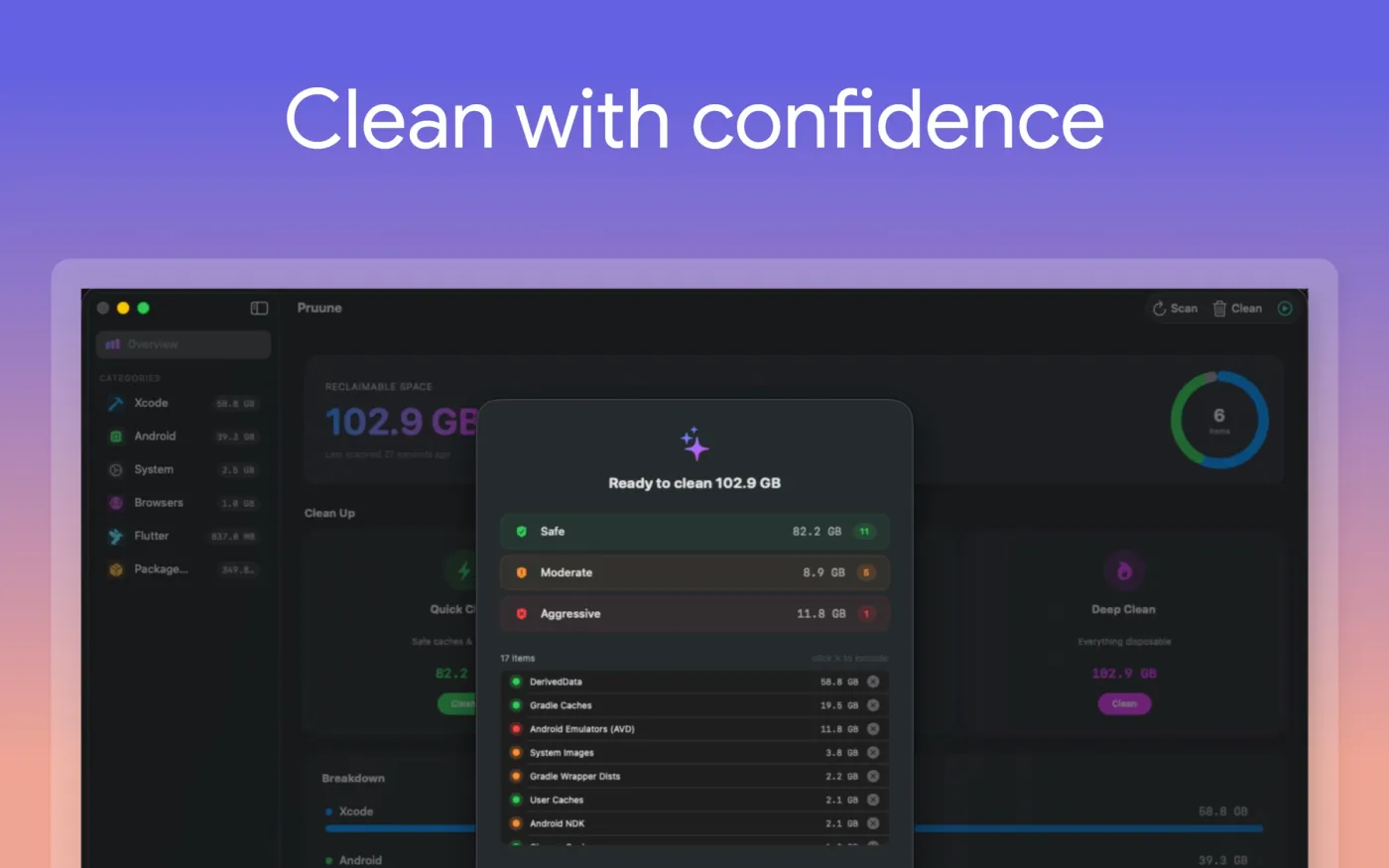
Every item is labelled Safe, Moderate, or Aggressive based on what removing it actually means in practice. You see the breakdown before you commit, and you can exclude individual items with one click.
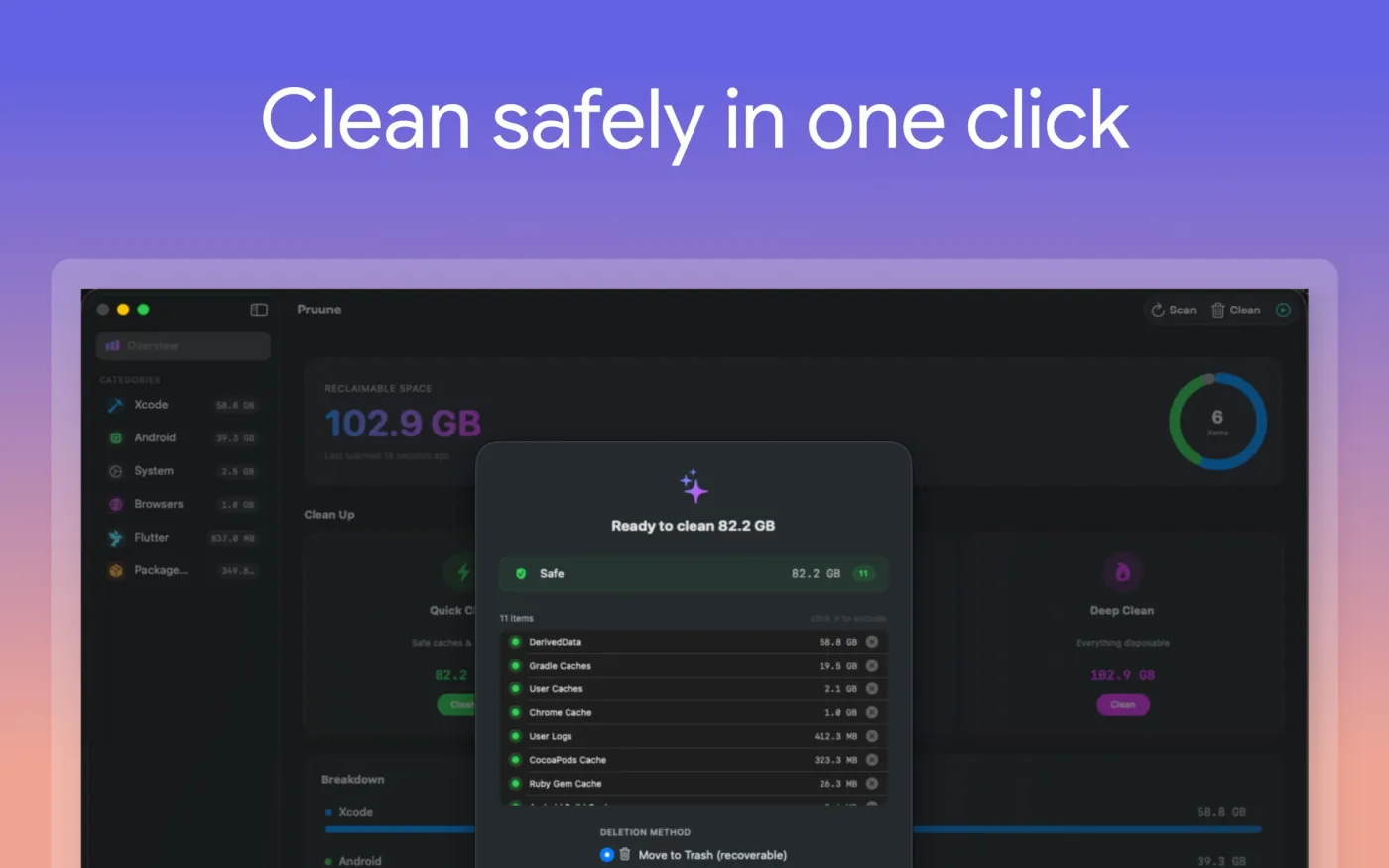
By default Pruune moves items to the Trash — nothing is shredded out of existence. If a build artifact turns out to matter ten minutes later, you simply put it back. Permanent deletion is opt-in, per run.
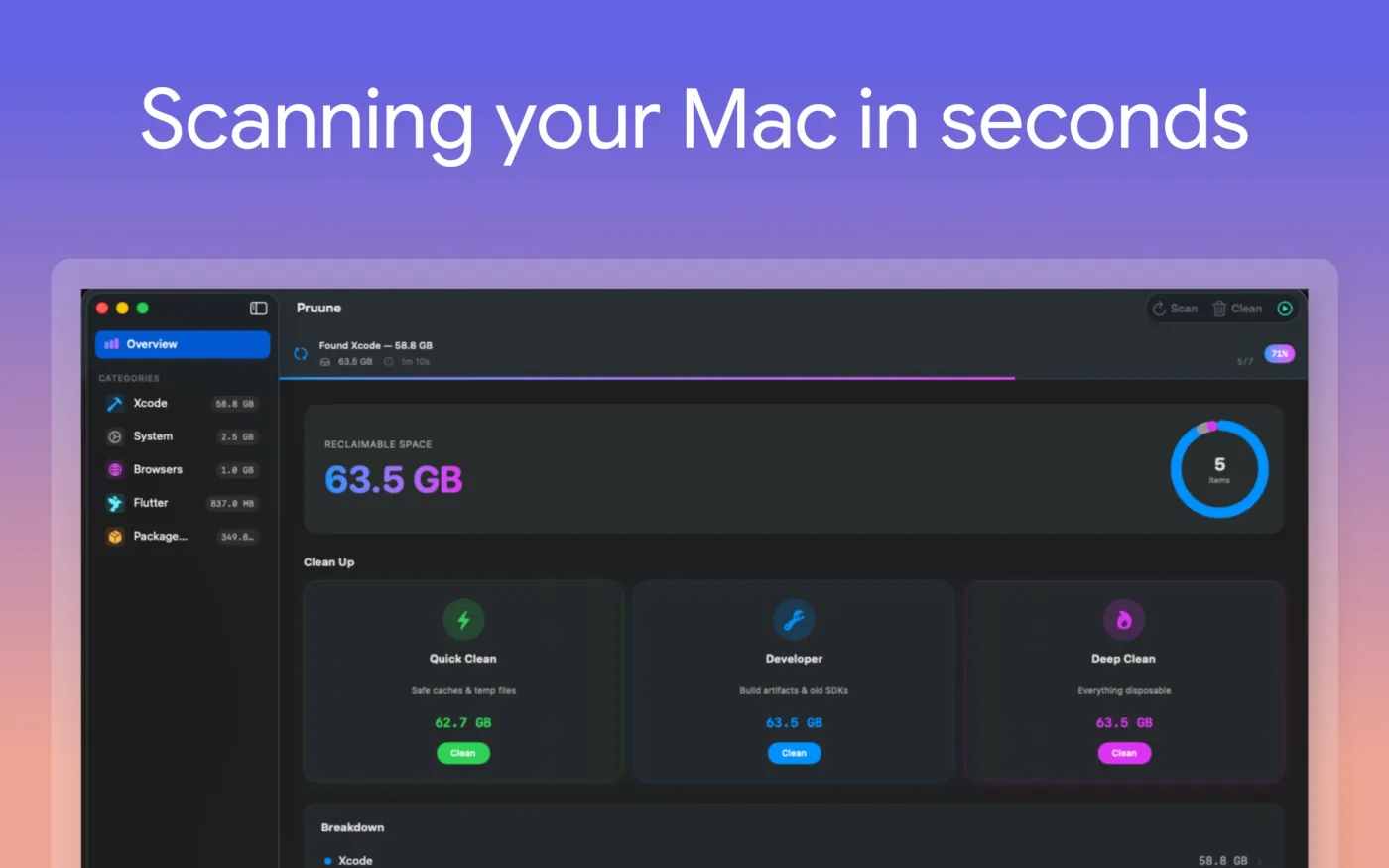
During a scan or cleanup the dock icon turns into a live percent counter — readable across the whole screen at a glance. When the run finishes it returns to the regular app icon, no badge clutter.
Every cleanup is recorded: paths, sizes, timestamps. If a tool starts misbehaving after a run, you have an honest record of exactly what changed — not a hunch.
Under the hood
Pruune is a native macOS app written in Swift, targeting macOS 14 Sonoma and newer on both Apple Silicon and Intel. The scan engine, folder classifier, and disk analyzer run as plain synchronous routines inside background tasks — no async churn inside hot loops, no surprise main-thread work. A typical full scan completes in under a minute on most developer machines, with progress streamed from dedicated worker actors to a single UI source of truth.
The app is sandboxed and ships through the Mac App Store. Access to locations outside the sandbox is mediated by security-scoped bookmarks — you grant Pruune access to a specific folder once, and the bookmark is used on every subsequent scan without re-prompting. The cleanup engine never escalates beyond what you have explicitly allowed, and never writes outside the paths it intends to delete.
The dock progress display is built on a custom NSDockTile
content view rather than the standard badge API, which is locked to
the system red. During a scan the entire dock icon is replaced with
a green percent counter; on completion it shows a brief checkmark and
fades back to the app icon. Every deletion path is regression-tested
— the project carries over four hundred unit tests across the
scan, classification, sandbox, and cleanup engines, with full coverage
on the components that actually touch your file system.
Screenshots
Overview, scan in progress, and the cleanup confirmation sheet.
Download
macOS 14 Sonoma and newer. Apple Silicon and Intel. Sandboxed and Trash-first — Pruune never deletes anything past your reach.